
Reviewer-proof research stack
- Trust Score + reproducibility bundles
- Rigor Guard v2
- Executed Jupyter notebook per analysis
- MCP server — 35 tools
- Teaching & Thesis module
InstaBizIntel puts 300+ statistical analyses, SmartPLS-class PLS-SEM, econometrics, machine learning, qualitative coding and BI dashboards in one browser workspace. An AI Analyst picks and runs the method — and every result comes with a Trust Score, an APA write-up and an executed Python notebook.
Internal QA run, September 2026: 280 analyses tested, 0 failures — with results matching published reference values for Weibull, Fisher exact, ANOVA, DerSimonian–Laird meta-analysis and logistic regression.
InstaBizIntel now lives at instabizintel.instadatahelp.com, and the release log has been busy. The highlights:
The Statistics Workbench covers the ground of SPSS, Stata, EViews and JMP — and every result carries the same evidence trail, whichever family it comes from.
Summaries and distributions for every variable, each with an automatic chart. Descriptive statistics, data import, charts and dashboards stay free after the trial.
Test whether groups differ — parametric and non-parametric — with effect sizes and an APA-7 paragraph ready to paste.
Measure how variables move together and see it charted, with the same Trust pill and write-up as every other result.
From linear and logistic models to count, quantile, instrumental-variable and survival regression — plus Stata-style panel estimators.
Factor analysis, reliability and clustering for your scales, plus configurational methods: fsQCA and Necessary Condition Analysis, which shows whether a factor is a must-have for an outcome, with ceiling plots and bottleneck tables.
Covariance-based SEM written in lavaan syntax, with global fit (CFI, TLI, RMSEA with its confidence interval, SRMR), loadings and paths, R², indirect effects with confidence intervals, CR, AVE, HTMT and modification indices. CFA sits alongside, and meta-analytic SEM tests a path model on correlation matrices pooled across published studies.
The full Hayes PROCESS macro: all 76 models, from simple and serial mediation to moderated mediation with several moderators, with bootstrap confidence intervals, Johnson–Neyman regions and the index of moderated mediation. Binary outcomes are handled with logistic regression, as in PROCESS.
A causal DAG estimator with refutation tests and E-values, skeleton discovery, and modern quasi-experimental designs.
Methods for marketing, HR and management surveys — pairs with IPMA in PLS-SEM and the TAM, UTAUT and SERVQUAL templates.
EViews-style econometrics: stationarity, systems of equations and volatility — up to spillover and wavelet methods.
Statistical process control and design of experiments, plus statistical sampling for audit work.
Time-to-event analysis and pharmaceutical methods for clinical and pharmacy research.
Life-data and reliability analysis — Weibull results matched published JMP values in our QA benchmark.
Bayesian estimation by MCMC, all the way up to Bayesian structural equation models.
Draw constructs on a drag-and-drop canvas, connect your hypotheses and estimate. Then run every assessment reviewers expect, re-estimate the same model with CB-SEM or Bayesian SEM, and export the syntax to lavaan or Mplus so anyone can check your work.
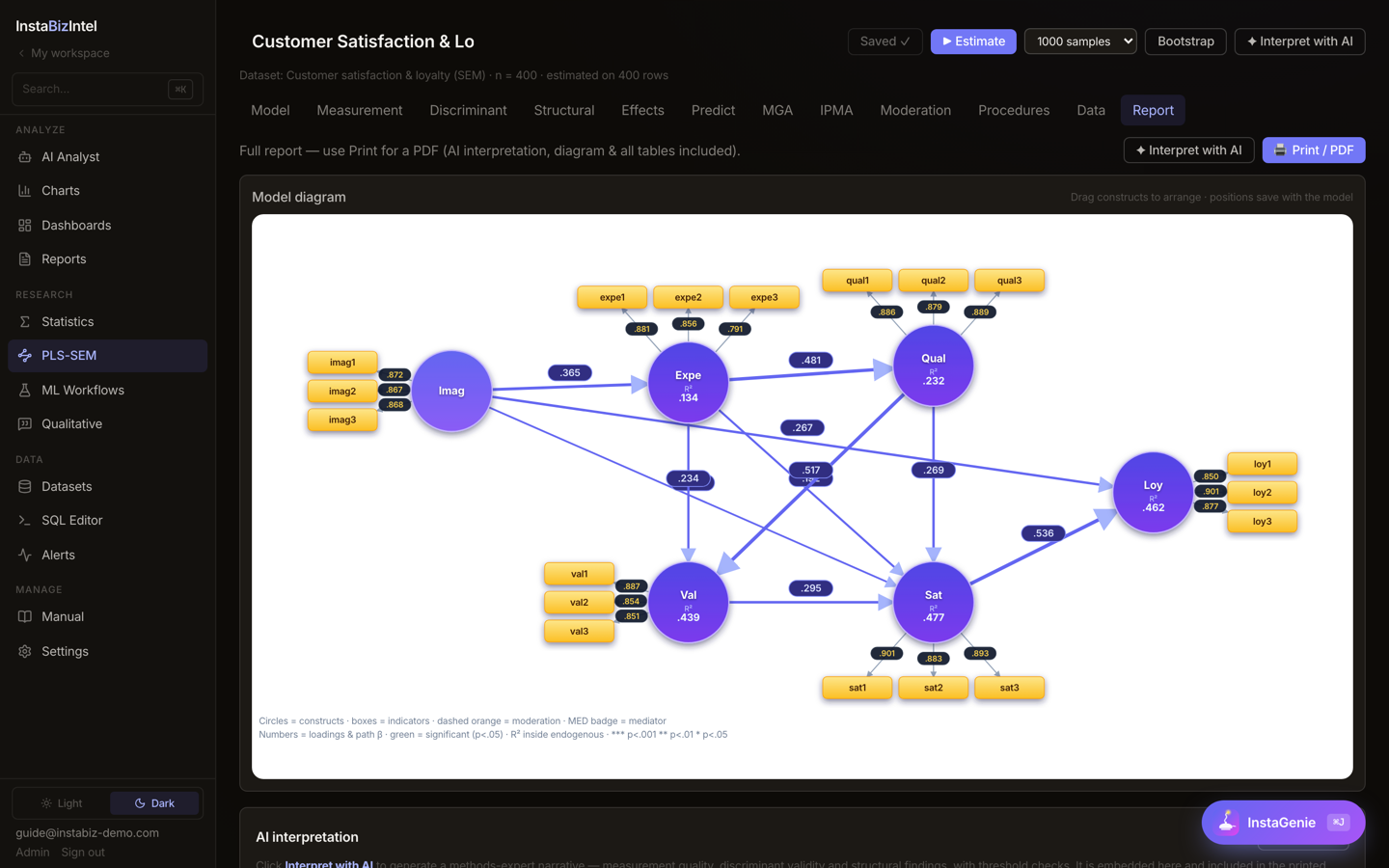
Every PLS-SEM procedure on the left runs in InstaBizIntel, in the browser on Windows, macOS or Linux. The right column is what the same workspace adds around your model.
| PLS-SEM procedure | InstaBizIntel | Also in the same workspace |
|---|---|---|
| Reflective & formative measurement models | ✔ | 300+ statistical analyses on the same dataset |
| Bootstrapping with confidence intervals | ✔ | Trust Score, audit hash and Inspector re-derivation |
| HTMT, Fornell–Larcker, VIF, R², f², Q² | ✔ | Reviewer battery mapped to the Hair et al. checklist |
| PLSpredict & CVPAT | ✔ | Executed Jupyter notebook + PDF for every analysis |
| IPMA, cIPMA, MGA & MICOM | ✔ | lavaan, Mplus & seminr syntax export; lavaan import |
| PLSc, NCA, CTA-PLS, higher-order constructs | ✔ | AI Analyst interpretation and APA-7 write-up |
| CB-SEM, FIMIX, PLS-POS, copula endogeneity | ✔ | Bayesian SEM by MCMC |
| Printable model report (14 tabs) | ✔ | Qualitative coding, dashboards and Word / PDF reports |
This table lists InstaBizIntel's own capabilities from its user manual (October 2026). It makes no claim about which features SmartPLS does or does not offer — see the vendor's documentation for that. SmartPLS is a trademark of its owner.
Each run is hashed (SHA-256) and scored. The Inspector re-derives the numbers independently, Rigor Guard checks your reporting, and one click packages everything a reviewer — or your future self — needs to reproduce it.
The AI Analyst takes a request end to end: it pulls the data, chooses and runs the method, and writes the report. InstaGenie sits on every page (⌘J), knows what you are looking at, and accepts datasets, images, PDFs and Word files.
A 35-tool MCP server, a personal API token, a CLI and an A2A agent card let your own AI assistant run InstaBizIntel analyses.
What leaves the server: only your question and dataset summaries go to the LLM provider you choose. The statistics, ML and PLS-SEM themselves run on InstaBizIntel's servers. Model routing can go through InstaRoute, our LLM router.
SELECT region, training_hours, sales FROM survey_2026;
Import once, then move between modules without exporting a thing.
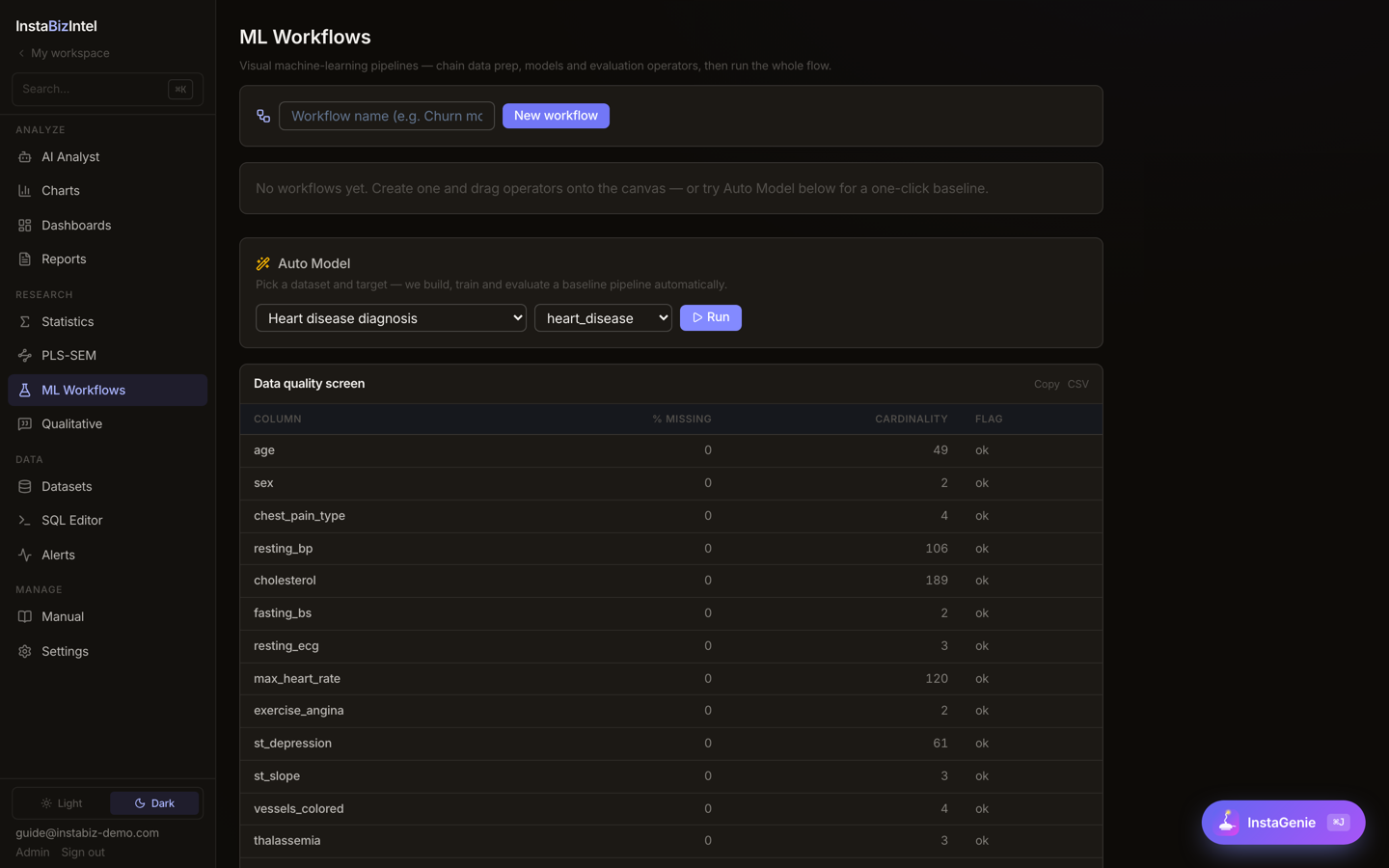
A visual node canvas with 50 operators and 37 models — linear models through XGBoost and LightGBM, neural networks, SVM, clustering, Isolation Forest and Optimize. Auto Model builds a leaderboard of up to 8 models plus a top-3 blender, with a leakage screen and 5-fold cross-validation.
Decomposition hybrids (CEEMDAN, VMD, EMD, wavelet) and a model pool from ARIMA, ETS and Theta to N-BEATS, N-HiTS, TiDE, PatchTST, Chronos and TimesFM — and now Prophet. Benchmark with Diebold–Mariano tests and the Model Confidence Set.
Code documents, media and transcripts by hand, or auto-code by sentiment, topic, pattern or AI themes. Memos, cases, concept maps and team merge, with 16 query tabs including KWIC, word tree, matrix, co-occurrence and saturation.
Search Crossref, OpenAlex, arXiv, Semantic Scholar, PubMed, Europe PMC, DOAJ and Google Scholar; build a PRISMA 2020 diagram; appraise with MMAT, RoB 2, ROBINS-I, NOS, AMSTAR-2 and GRADE; then pool the evidence.
Performance and risk, portfolio optimisation (max-Sharpe, min-variance, risk parity, efficient frontier, back-test), technicals, news sentiment, EDGAR fundamentals with DCF, filings Q&A and event studies.
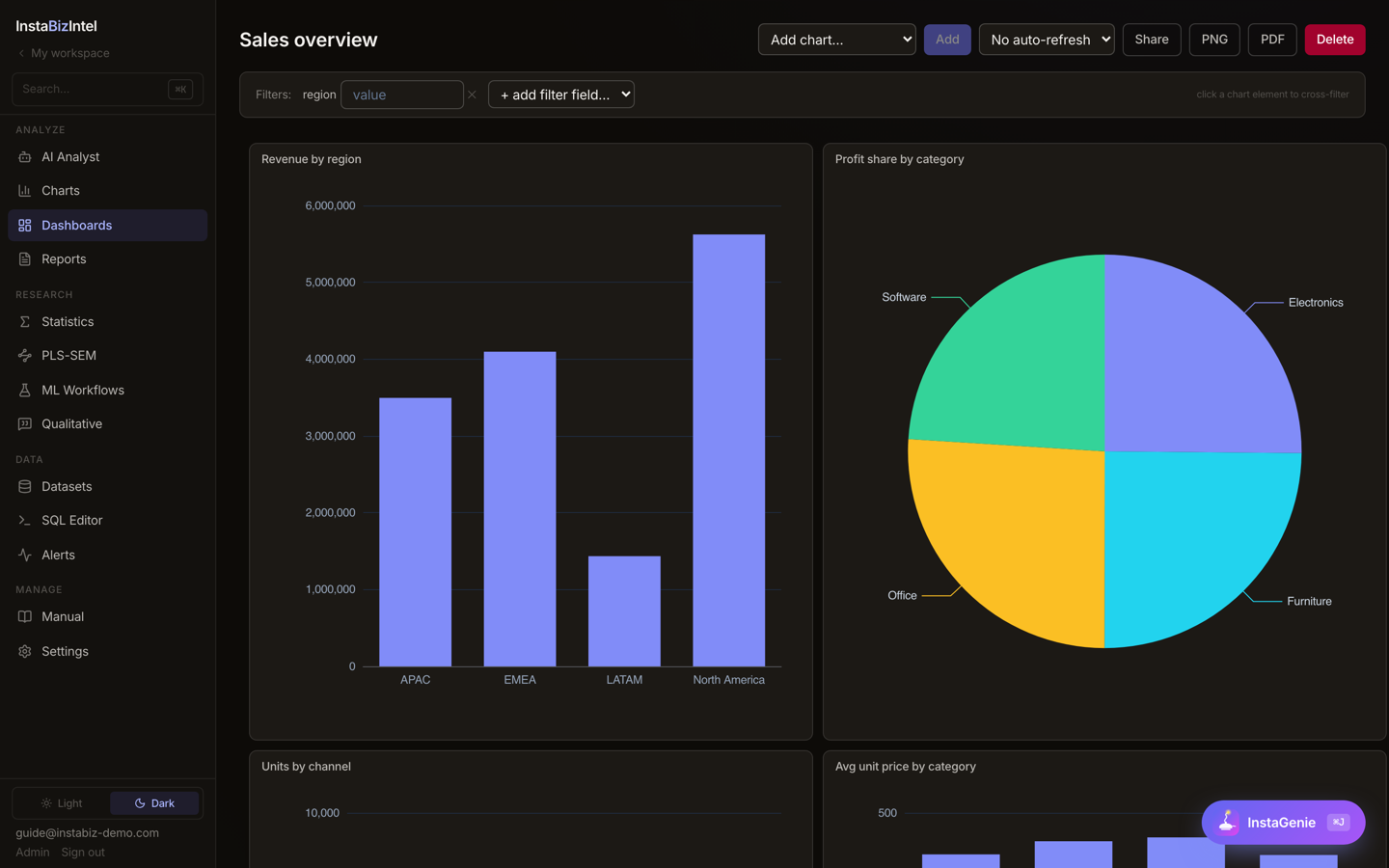
Cross-filtering dashboards across 24 chart types, a Format pane with 15 palettes, India states, bubble and flow maps, and Data Stories with presenter mode — exported to PDF, PNG or PPTX.
Six steps, one workspace. Click a step, or let it play.
CSV, Excel, SPSS, SAS and Stata files, live databases, cloud storage or open data such as World Bank and FRED. No data yet? Start from the 15-dataset sample library.
25 Power-Query-style transform steps, a careless-response screen for survey data, and a synthetic twin (Gaussian copula) when you cannot share the real data.
Choose from 300+ analyses, draw a PLS-SEM model, or let the AI Analyst and the method advisor pick the right test for your question.
Trust Score, Inspector re-derivation, robustness battery and Rigor Guard checks — before a reviewer ever sees it.
APA-7 write-ups, a block-based report builder (cover, AI text, charts, PLS diagram, results) and Data Stories — exported to Word, PDF or PPTX.
An executed Jupyter notebook for every analysis and a reproducibility bundle with RO-Crate, CITATION.cff, reproduce.py and a Zenodo DOI.
Start from a ready-made model template, size your sample before you collect a single response, and follow a thesis pipeline that runs from proposal to Chapter 4 and on to the viva. Instructors get a process log of how each student reached their result; students get a Socratic tutor that asks rather than answers.
Management, commerce, economics, marketing, HR and pharmacy researchers running survey and PLS-SEM studies.
Teach methods with templates and a tutor, review students’ process logs, and publish your own work. Premium fee waivable.
Department plans with multiple seats, deployment on your own server, training and curriculum templates.
Consulting teams and research centres that need publication-grade statistics — and the dashboards to present them.
Our internal QA report (September 2026) ran 280 analyses end to end: 231 passed, 49 were validated, and none failed. Benchmark checks matched published reference values for Weibull (JMP), Fisher exact (R / SPSS), ANOVA, DerSimonian–Laird meta-analysis and logistic regression.
The October 2026 additions were checked the same way, against reference software on published example data: CB-SEM fit indices match lavaan, NCA effect sizes and bottleneck tables match the NCA R package, MASEM matches the metaSEM package, and PROCESS coefficients and indirect effects match an independent PROCESS implementation.
Under the hood are well-known open-source statistics libraries — statsmodels, lifelines, scipy, pingouin and semopy — which is also why every result can be exported as plain Python.
A five-construct PLS-SEM model on a 320-response dataset, run live with the AI interpretation written up on screen.
Ask us for the recording on WhatsApp →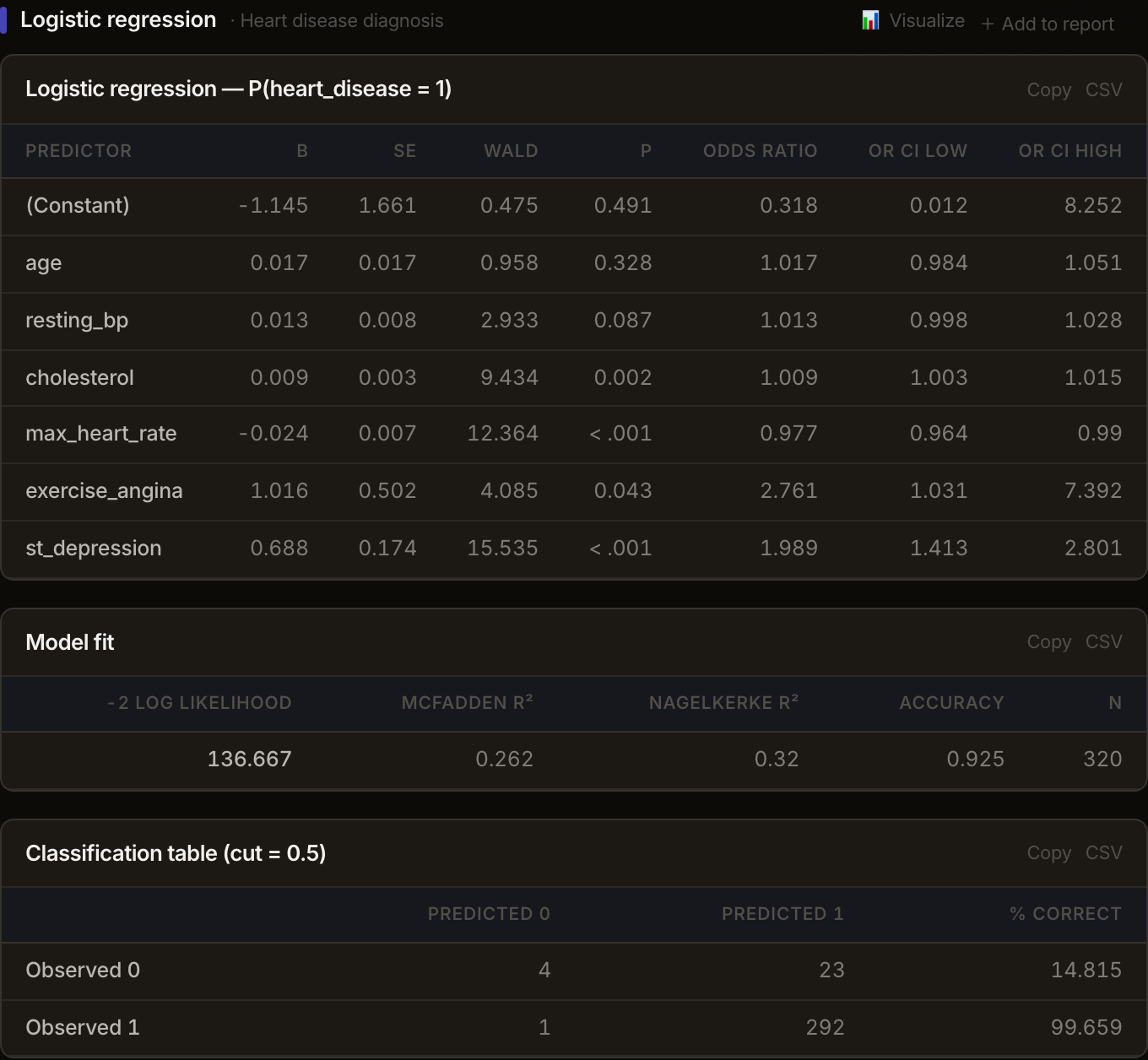
Every new account starts a 15-day free trial of the full platform — no card needed. After that, choose what you need.
Faculty or student? The ₹800 Premium fee is waivable for faculty and students — ask us about a waiver →
Free forever: the basics stay open, no payment needed.
During the 15-day trial everything above is unlocked. Afterwards, inferential statistics, ML, forecasting, PLS-SEM, qualitative and the other premium modules need Premium.
Yes. InstaBizIntel runs 300+ statistical analyses in your browser — group comparisons, regression, factor analysis, time series, survival, Bayesian methods and more — each with a chart, an APA-7 write-up and a Trust Score. Every account gets a 15-day free trial of the full platform; descriptive statistics, charts and dashboards stay free afterwards, and Premium is ₹800 a month.
Yes. InstaBizIntel offers SmartPLS-class PLS-SEM in the browser: reflective and formative measurement, bootstrapping with BCa intervals, HTMT, PLSpredict, CVPAT, IPMA, MGA, MICOM, PLSc, NCA, CTA-PLS and higher-order constructs. It can also re-estimate a model with CB-SEM or Bayesian SEM, run FIMIX, PLS-POS and REBUS, map every check to the Hair et al. checklist and export lavaan, Mplus or seminr syntax.
Yes. InstaBizIntel includes the full Hayes PROCESS macro (all 76 models, with bootstrap confidence intervals, Johnson–Neyman regions and the index of moderated mediation), covariance-based SEM written in lavaan syntax with fit indices, indirect effects and modification indices, Necessary Condition Analysis, cIPMA in the PLS-SEM module, and meta-analytic SEM that pools correlation matrices across published studies. These methods were checked against lavaan, the metaSEM and NCA R packages and an independent PROCESS implementation.
It covers the core workflows in one workspace: Stata-style panel data (fixed and random effects, Hausman, dynamic-panel GMM), EViews-style time-series econometrics (unit roots, VAR, VECM, the GARCH family), JMP-style SPC, design of experiments and reliability, NVivo-class qualitative coding with REFI-QDA export, Power BI- and Tableau-style dashboards, and a literature-review module with PRISMA 2020 diagrams and VOSviewer-style clusters.
No coding is needed. The AI Analyst takes a request in plain language or by voice, chooses and runs the method and writes the report; InstaGenie is available on every page for quick questions. You can still see everything: generated SQL is shown and logged, charts are saved only on your approval, and every analysis can be exported as an executed Jupyter notebook.
Every new account gets a 15-day free trial of the full platform, no card needed. After that, data import, descriptive statistics, charts and dashboards stay free. Premium — inferential statistics, PLS-SEM, ML, forecasting, qualitative and the other premium modules — is ₹800 per month including GST (30 days per payment, processed by PayU), and the fee is waivable for faculty and students. Department plans are quoted on request.
InstaBizIntel is a hosted service: your uploads are stored on InstaDataHelp servers and may be kept in encrypted cloud storage. The statistics, ML and PLS-SEM run on InstaBizIntel’s own servers. When you use the AI features, only your question and dataset summaries are sent to the LLM provider you have chosen. Departments that need a private set-up can ask for a deployment on their own server.
Yes. Every run is hashed and given a Trust Score, the Inspector re-derives results independently, and you can export an executed Jupyter notebook (plus .py, HTML and PDF) for each analysis, or a full reproducibility bundle with RO-Crate metadata, CITATION.cff, reproduce.py and a Zenodo DOI.
Yes. InstaBizIntel has a 35-tool MCP server that works with ChatGPT, Claude, Claude Desktop and Claude Code, Cursor and Codex, plus a personal API token, a CLI and an A2A agent card.
CSV and TSV, Excel and ODS workbooks (multi-sheet), SPSS (.sav, .zsav, .por), SAS (.sas7bdat, .xpt), Stata (.dta), Parquet, JSON, XML and SQLite — plus live connections to PostgreSQL, MySQL, SQL Server, MongoDB, ODBC, REST and OData, cloud storage, Google Sheets and open data such as World Bank, FRED, WHO and SEC EDGAR.
Yes. Department plans include multiple seats, deployment on your own server, training and support, and curriculum templates. Pricing is custom — contact us with the number of users and we will send a quote.
Import your data, pick a method or ask the AI Analyst, and walk away with the result, the write-up and the notebook. Every feature free for 15 days — no card needed.
instabizintel.instadatahelp.com · contact us
